ScamSense – Daily Financial Fraud and Scam Alerts

Introducing ScamSense: Protecting Seniors from Scams with Alexa

In an increasingly connected world, scams and fraud have become more sophisticated, targeting vulnerable individuals with alarming frequency. Seniors, often less familiar with digital tactics, are particularly at risk. That’s why I created ScamSense — an Alexa skill designed to educate, inform, and empower seniors to recognize and avoid scams.

The Growing Threat of Scams

Scammers are continually finding new ways to exploit trust, from phishing emails to fraudulent phone calls pretending to be government agencies. According to the Federal Trade Commission (FTC), financial losses from scams have reached billions annually, and seniors often bear the brunt of this financial and emotional toll.

But what if there was a simple, accessible tool to help?

What is ScamSense?

ScamSense turns your Alexa-enabled device into a personal scam prevention assistant. It’s easy to use and provides:

  • Daily Scam Alerts: Stay informed about the latest fraud tactics, such as phishing, fake charity schemes, and tech support scams.
  • Identity Protection Tips: Get actionable advice on how to safeguard your personal information.

How It Works

ScamSense draws from reputable resources to deliver accurate and timely information. Every day (at 6AM Central time), it produces a new report of concise updates about recent scams and tips to protect yourself. It integrates with The News API, fetching relevant top stories and then summarizes them using advanced AI (using Llama hosted on SambaNova Cloud).

For example, you might hear:
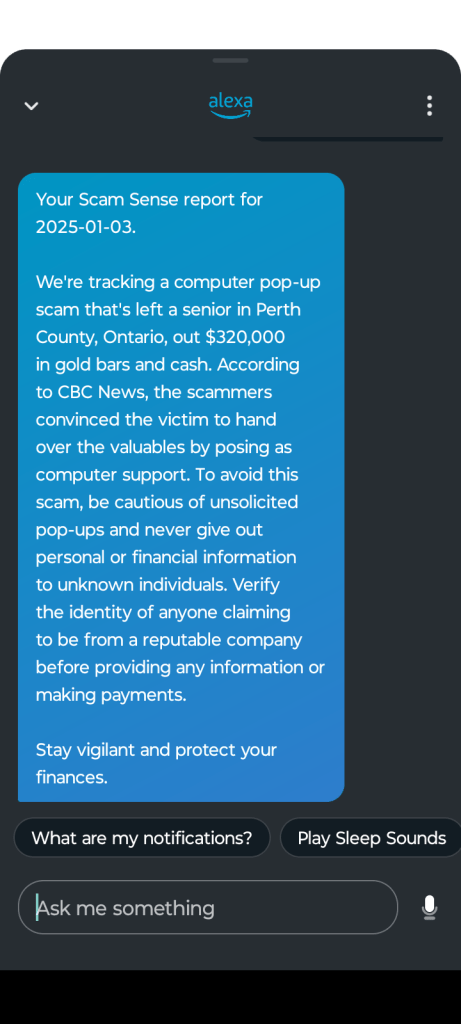
Empowering Seniors Through Technology

One of the key challenges with senior-focused technology is ensuring it’s user-friendly. Alexa’s voice-first interface makes ScamSense accessible to anyone, even those unfamiliar with smartphones or computers.

ScamSense isn’t just about providing information; it’s about creating peace of mind for seniors and their families.

Try ScamSense Today

ScamSense is available now for Alexa devices. Setting it up is simple:

  1. Enable the skill from the Alexa Skill Store.
  2. Say, “Alexa, open ScamSense,” to start receiving scam alerts and tips.
  3. Stay informed and stay safe!

Enable it on your Alexa device or mobile app today!

You can also check out the source code and see how I deployed it on GitHub!

Making an E-ink ESP32 Credit Card Skimmer Detecting Keychain

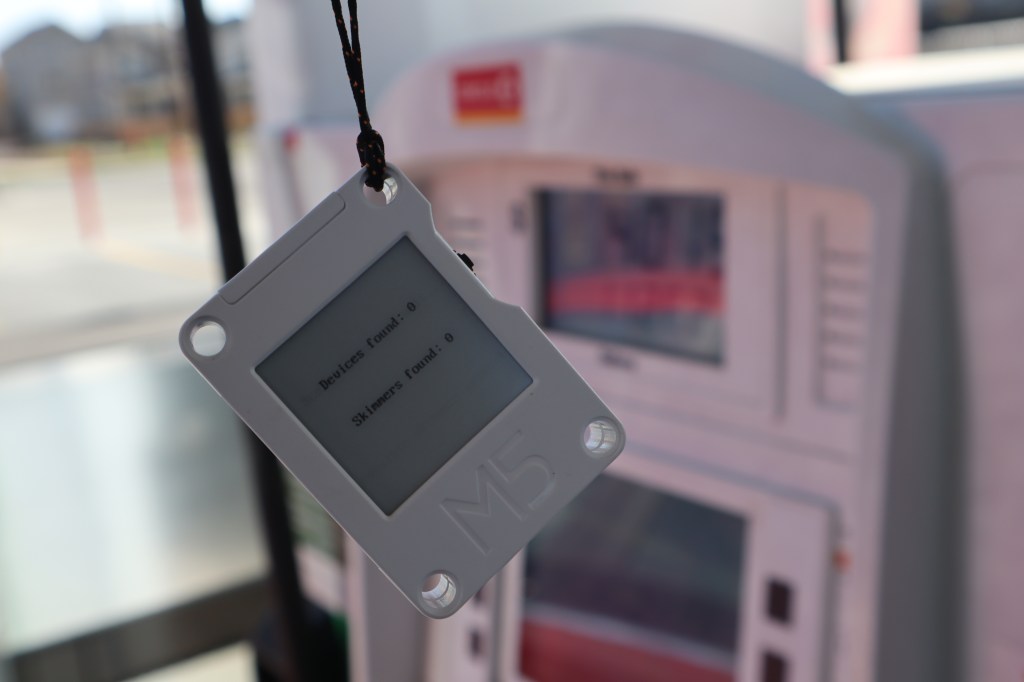
My latest project was recently featured on Instructables! In this guide I will show you how to build a low-power credit card skimmer detecting keychain. These skimmers, often found in gas pumps and ATMs, emit a Bluetooth signal that this keychain can detect but that many modern smart phones cannot. There is no need to understand programming and there is no soldering – this guide is suitable for beginners!

Introducing CarbonComponent

I am excited to share that my project, CarbonComponent, was recently selected as a winner of GitLab’s Innovation Pitch Competition! CarbonComponent is a continuous integration/continuous deployment component for GitLab pipelines that allows developers to estimate the carbon emissions caused by visiting their web projects. Using data from The Green Web Foundation it can tell if your web host uses green energy, and will provide you with a Green Webhost badge for your project repository if it does. When a pull request is created, metrics are displayed allowing you to tell at a glance if a change will make your project more carbon intensive. Additionally, it allows developers to offset the emissions from their project through Wren. Check it out! https://devpost.com/software/carboncomponent

LiteNews – a free browser extension to make reading the news fun again

Did you know that many news sites publish text-only versions of their content? These include:

  • CNN
  • The Christian Science Monitor
  • NPR
  • CBC
  • The Daily Mail

What’s great about using them is you avoid the auto-playing video, image carousels, comment sections, and other clutter that not only make the article difficult to read- it makes the page load time go through the roof! Knowing these text-only, or “lite”, versions exist is great, but I get sent a lot of articles via social media and messages. Remembering how to convert the URL for many of these sites is a hassle.

I wrote an open-source and free browser extension called LiteNews! It automatically will redirect you to the lite version of articles for the above news outlets when you click a link. It’s available for Chrome, Firefox, and Edge. It’s the first time I’ve written a cross-platform browser extension, and I can thank the Plasmo Framework for making it easy. I wrote my extension once and published in stores for all three browsers without needing to change a line of code!

The code can be found here on my GitHub. Click here to find download links for your favorite browser!

Deploy Free-tier Tor bridges on AWS

What if you could help journalists and activists in places like Iran and Russia with a few clicks? Tor is an anonymity network run by volunteers that protects the location and identity of users while they use the internet for research, messaging, and organizing. Unfortunately oppressive regimes block the access points to Tor. My project, Bridge Buttons, lets you deploy a Tor bridge for free to Amazon’s cloud. A bridge helps users connect to Tor by first connecting to an innocuous looking server, making it hard to block! I’ve preconfigured these bridges so that it can run for free for up to a year, making this the cheapest and easiest way to get started.

Direct link to Bridge Buttons where you can get started with just a few clicks!

Code and template on GitHub

Introducing FreeTranslate- deploy a personal webpage for neural machine translation with a click!

THE PROBLEM

The language barrier is a major problem during the COVID-19 pandemic when trying to convey critical safety and medical information and to get information to parents and students as we head back to school. Translation services are expensive and there are many communities that need services.

THE SOLUTION

Amazon Web Services has a product called Amazon Translate which is a neural machine translation service, meaning it translates text using machine learning. It is very powerful, and while it cannot replace a human translator, can help people like teachers convey meaning to the communities they work with reliably. Unfortunately this tool is intended for developers, whereas it can be of great value to people who are not programmers who could leverage its generous free usage tier, letting you translate 2 million characters per month for 12 months at no cost.

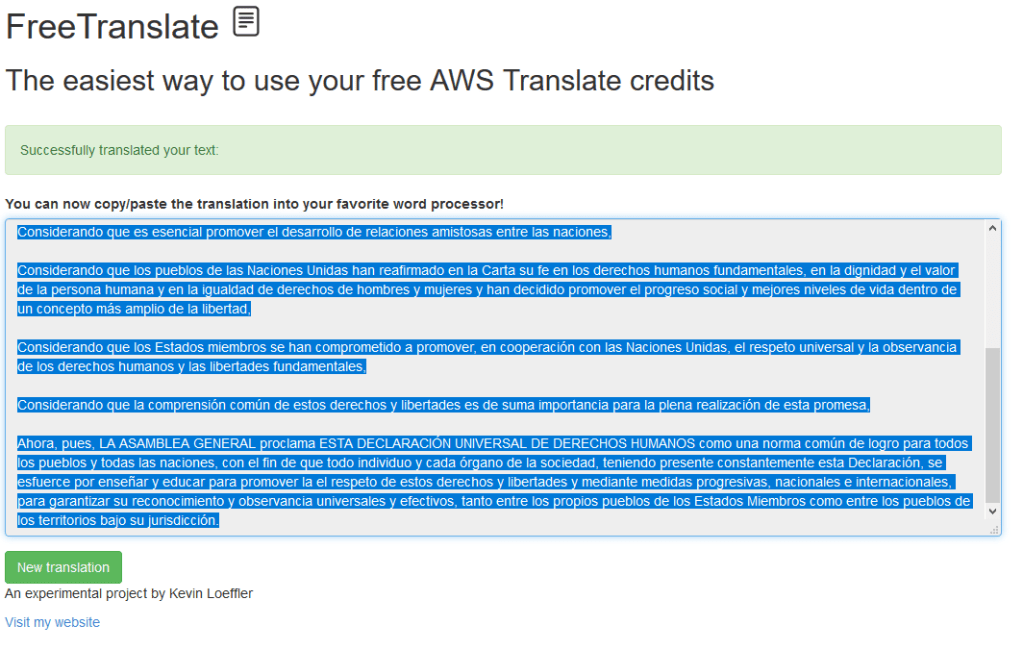
That’s where FreeTranslate comes in. FreeTranslate is a software project I have worked on that allows people to deploy a personal translation page to use these free credits by simply clicking a button. It will deploy FreeTranslate to your Amazon account and generate a personal URL just for you!

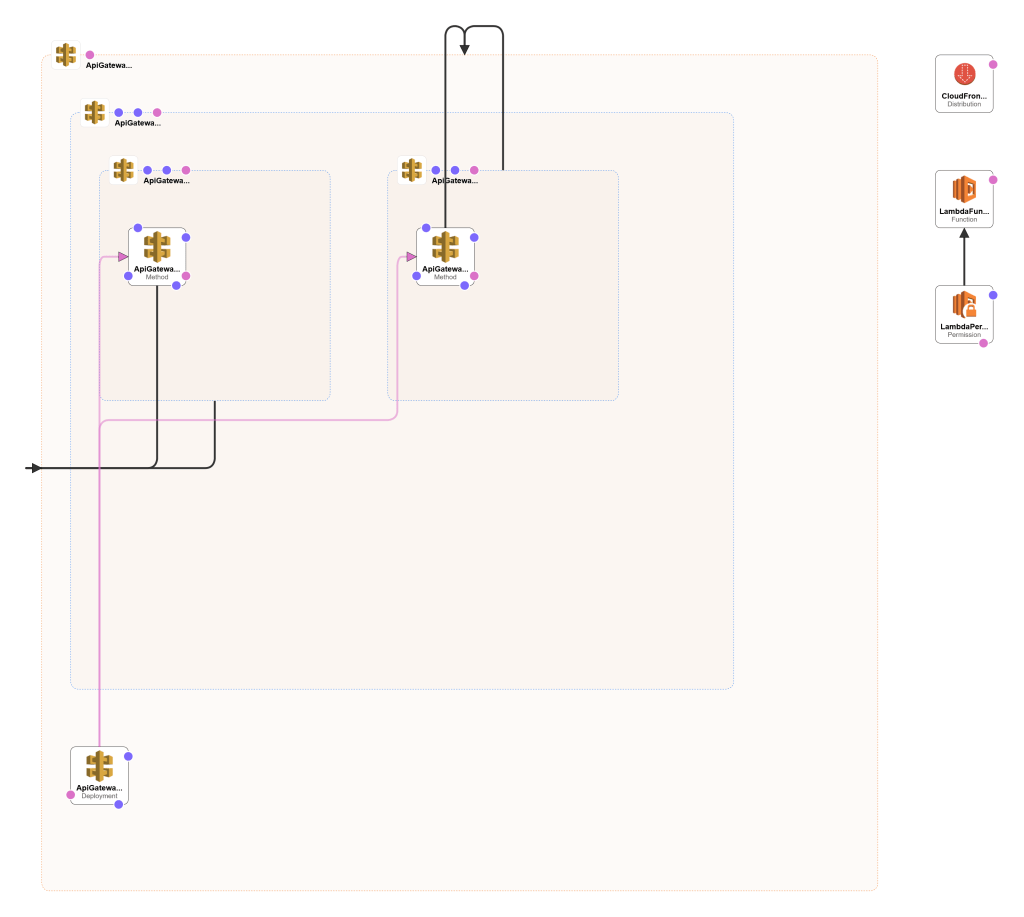
The technical details are that I have built a CloudFormation template that deploys when you click a URL on my projects page. This template deploys an API Gateway (for the webpage and sending translation requests) and a Lambda function (which does the actual translation bit). You can see a diagram from the CloudFormation designer tool here:

Diagram of FreeTranslate and what CloudFormation deploys when you click my Launch Stack button.

SHARING THE SOLUTION

You can deploy it for yourself, view instructions, and see additional pictures here!

As always, the code is open source! You can view it here.

Make Children’s Artwork look like Eric Carle Illustrations

v_hungry_caterpillar
The Very Hungry Caterpillar, by Eric Carle

Famous author and artist Eric Carle turns 91 today. I remember loving his books when I was a kid, especially The Very Hungry Caterpillar and Brown Bear, Brown Bear, What Do You See?. Each book features his distinctive art style. The images are collages composed of tissue paper and acrylic paint, producing vivid depictions of animals and nature.

THE PROBLEM

Carle’s work is as complex as it is beautiful. How can we make it easier for children to produce their own homages to his creations?

THE SOLUTION

Neural style transfer is a technique that allows you to compose images in another’s style using deep learning. That is, you teach a computer to identify key elements of an image’s style and redraw that image in that style it has just learned.

I found this excellent Google Colab notebook which taught me all about how to do this with tf.Keras!

Taking the code from the tutorial I built a website that lets you upload images, have the style of Eric Carle’s The Very Hungry Caterpillar transferred to it, and display it for the world to see and for you to download! At any given time the latest 10 images will be displayed for any visitors to see. The website is built in one of my favorite frameworks, Flask.

You can access the website at ericcarletransfer.ml. Be warned, the transfer time can be in excess of 10 minutes- it is very computationally intensive.

The results have been encouraging though! Take a look:

The neural network is picking up on the look of the tissue paper and paint. In the future I want to work on reducing the amount of noise seen in the backgrounds.

SHARING THE SOLUTION

The URL again is http://ericcarlearttransfer.ml/

As always, the entire project is opens source and can be found here on GitHub!

Text to Word Search!

Try it out for free here!

wordsearchgif

THE PROBLEM

Word searches can be a great way to build a summary activity for reading a story, article, or book. However, they are time consuming and difficult to make.

THE SOLUTION

text2wordsearch uses the Rapid Automatic Keyword Extraction (RAKE) algorithm to automatically extract the top key words from a blob of text! Simply copy the text from the article or story and choose how many words you want in your word search. Then copy the word search into your favorite word processor (be sure to use a monospace font!). The keywords selected are found in the bottom box.

The technical details are that this uses an AWS Lambda function to run the RAKE algorithm and generate the word search, ingesting the text from the web interface above which is deployed on AWS API Gateway. The Lambda function is written in Python and leverages two excellent packages: python-rake and word-search-puzzle. Because it is a Lambda function they had to be installed to a directory and uploaded as part of a zip bundle along with my function code. This zip is included in the repo linked below for you to deploy and play with yourselves!

SHARING THE SOLUTION

Try it for free here!

As always, the code is available to browse and deploy yourselves!

DIY COVID-19 Facemask using a plastic report cover!

mask1

THE PROBLEM

Personal protective equipment (PPE) is in short supply due to the COVID-19 pandemic.

THE SOLUTION

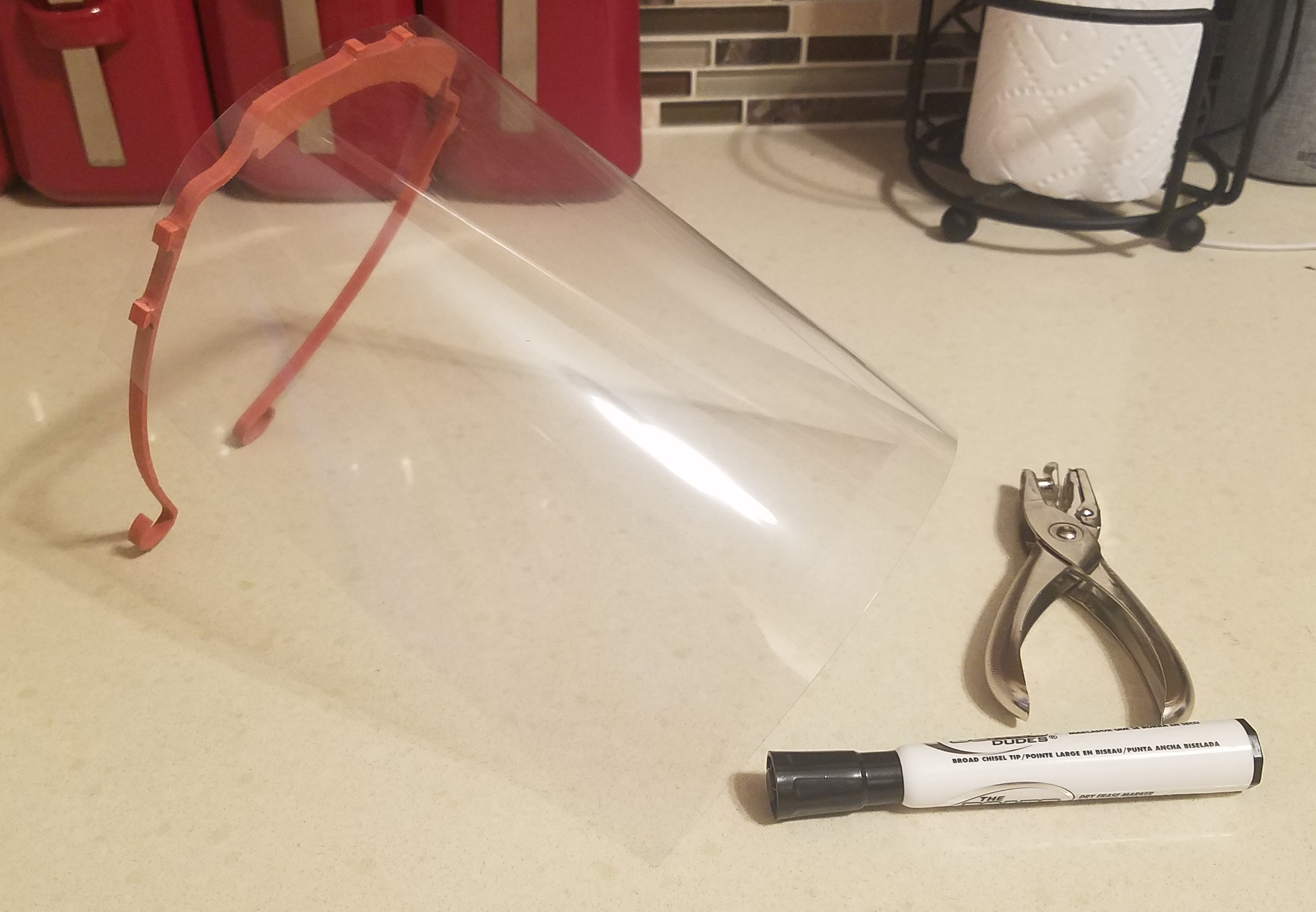
There are tons and tons of awesome PPE designs on Thingiverse, YouMagine, Instructables, and other popular hangouts for makers. One that I really like is this facemask that uses a plastic report cover or overhead transparency made by Erik Cederberg / 3DVerkstan from Faceshield.nu. Unfortunately, it was physically too large to print using my 3D printer, so I made a version of his design that can be cut using home CNC mills, like my Carvey. It can be cut in just 11 minutes! I used a 1/4″ thick MDF sheet, but any flexible but strong material should do the job.

ezgif.com-video-to-gif

SHARING THE SOLUTION

Head on over to Inventables right now to grab the Easel project/G-code! My employer is also printing these same masks in our company hackerspace, so I intend to bring them in as part of their drive to produce PPE and donate them to those who need them.